sound styles
music
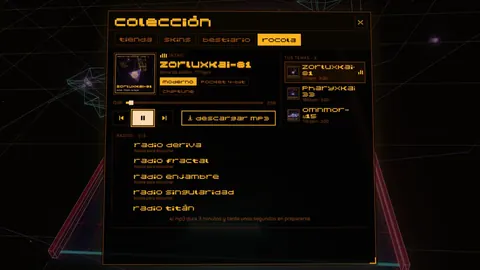
Asteroid Pong has three sound styles: modern, pocket 4-bit and chiptune. You pick one in Settings › sound and it changes how everything sounds: matches, the jukebox and the MP3s you download.
The three styles
All three styles play the same music; what changes is the sound of the instruments.
| style | how it sounds |
|---|---|
| modern | the full synth mix, with an 8-bit color |
| pocket 4-bit | everything turns into console sounds |
| chiptune | everything turns into console sounds |
Where to change the sound style
The style is changed in Settings › sound › sound style, and it applies to the whole game.
- In a match: the music for levels, bosses and titans.
- In the jukebox: ◄► switches the style of the track you are listening to.
- In MP3s: the file is saved in the chosen style.
The same tab has music volume and sfx volume. On a keyboard, M turns sound on or off.
Vibrate to the beat
On Android, your phone or controller can vibrate to the music in layers: kick, snare and highs, each one adjustable.
- Open the vibration tab in settings.
- Turn on "vibrate to the beat" and set the intensity of each layer.
- Try it with "test vibration".
- With music at 0, vibration still keeps the beat.
- With battery saver on, Android blocks vibration.
- On devices with no vibration motor, only a controller with rumble will vibrate.
Frequently asked questions
Where do I change the sound style in Asteroid Pong?
In Settings › sound › sound style. You can also switch it in the jukebox with ◄►.
Does the sound style change the MP3s I download?
Yes. The MP3 is saved in whichever style you have selected: modern, pocket 4-bit or chiptune.
How do I make my phone vibrate with the music?
On Android, turn on vibrate to the beat in the vibration tab of settings. It vibrates in kick, snare and highs layers.
Why is my phone not vibrating?
Check that vibration is turned on and that battery saver is off: with it on, Android blocks vibration.
Related
 jukeboxmusic
 genresmusic
 controlsmechanic · touch, keyboard, gamepad and TV
Describes version 0.8.26 · 2026-10-09