2 players
mode · local
2 players mode in Asteroid Pong is a local match on one screen: one player at the bottom and one at the top, on normal difficulty and with no threats. First to 5 goals wins.
2-player controls
Each player controls their paddle with their own half of the screen, their side of the keyboard or their own controller.
| input | P1 (bottom) | P2 (top) |
|---|---|---|
| touch | touch and drag on the bottom half | touch and drag on the top half |
| keyboard | A/D or ←/→ | J/L |
| controllers | one controller: d-pad or stick | a second controller: d-pad or stick |
Pause is on the top-right button, on P or Esc and on the controller's Start. The full map for every input is in controls.
Match rules
The first one to score 5 goals on the other wins.
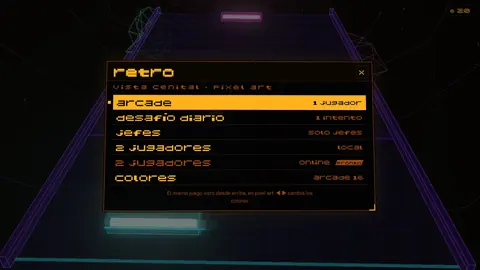
2 players in the retro view and Pong 1972
The retro view menu has 2 players as well. On top of that, Pong 1972 can be played by two on one screen, first to 11: on a keyboard, W/S for one player and the arrows for the other.
Frequently asked questions
How do two people play on one phone?
Each player touches and drags on their half of the screen: P1 on the bottom half and P2 on the top half.
Which keys does the second player use?
J and L. The first player uses A/D or the ←/→ arrows.
Can I play 2 players with controllers?
Yes, with one controller per player. Each one moves their paddle with the d-pad or stick.
Are there bosses or threats in 2 players?
No. It is a clean match to 5 goals; only power-ups appear, alternating toward each player.
Related
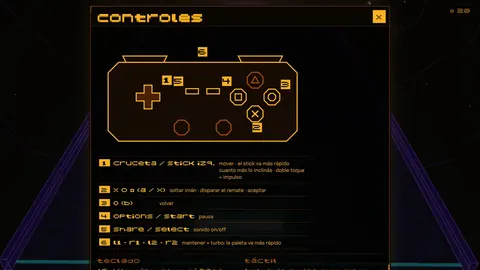 controlsmechanic · touch, keyboard, gamepad and TV
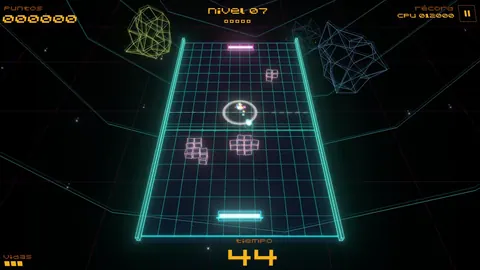 power-upsmechanic · 9 power-ups
 pong 1972secret · minigame
Describes version 0.8.26 · 2026-10-09